How to Know an Original iPhone Before Buying in Nigeria
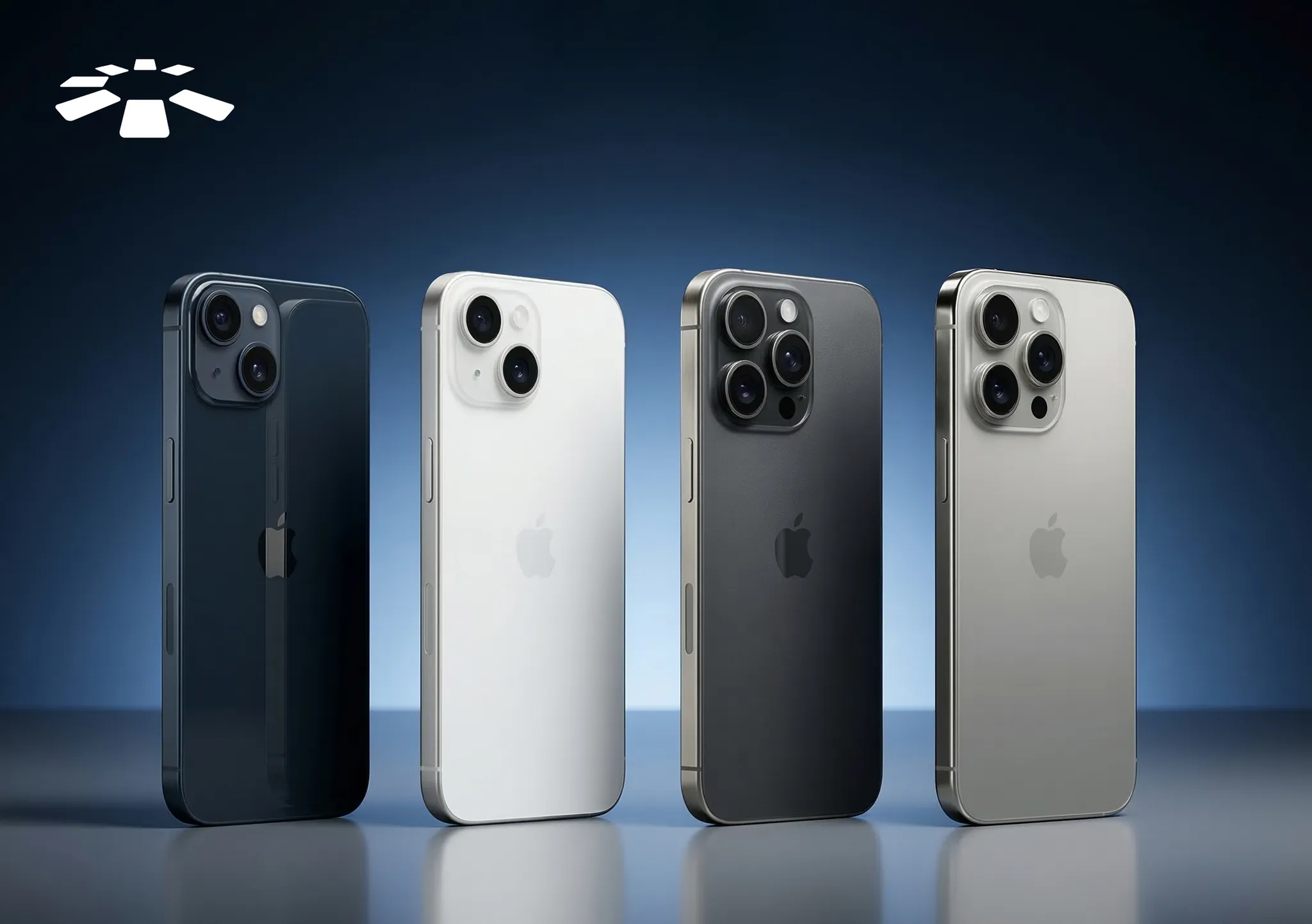
A friend once asked me how I’m always confident when buying an iPhone from phone sellers.
The truth is, I didn’t always feel that way. At first, I worried about ending up with a fake device or one that had hidden problems.
Over time, I learned a few reliable ways to confirm whether an iPhone is original before paying for it. These simple steps can make a big difference when you’re buying an iPhone in Nigeria.
So, if you’re planning to buy an iPhone and want to be sure you’re getting the original device, this article will walk you through the simple steps you can use before making a payment.
How to Check if an iPhone is Original
When buying an iPhone, it’s always important to confirm that the device is truly original by checking the battery health, Apple warranty status, iCloud lock status, and inspecting the device’s physical or hardware features before making payment.
1. Check iCloud Lock Status:
Before paying for any iPhone, it’s very important to confirm that iCloud Activation Lock has been removed.
Activation Lock is a security feature that links the device to the owner’s Apple ID. If the previous owner hasn’t signed out of their account, you won’t be able to set up or use the phone normally.
A simple way to confirm this is to reset the device or start the setup process. If the phone asks for someone else’s Apple ID and password, it means the iCloud lock is still active.
Always make sure the seller signs out of their Apple ID completely before handing over the phone. Once the device opens to the normal setup screen without requesting another person’s login details, you can be confident that it’s not locked.
2. Check Battery Health:
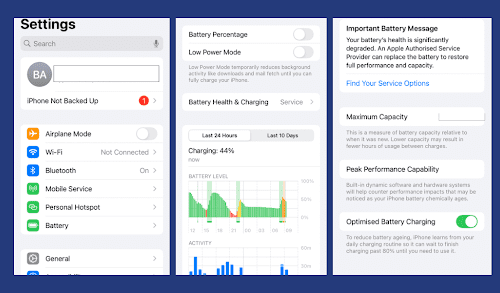
Battery health is one of the easiest things to check on a real iPhone. Apple includes a built-in feature that displays the battery’s current condition.
To see it, go to Settings, tap Battery, then select Battery Health & Charging. You should see the Maximum Capacity percentage and a message showing whether the battery supports peak performance.
If the phone does not display the battery health section, or the information appears unusual, it may indicate that the device is not running genuine iOS or that the battery has been replaced with a non-genuine component. While battery replacements are common, the feature should still be available on original iPhones running supported versions of iOS.
3. Check Apple Warranty Status:
Another reliable way to confirm an iPhone’s authenticity is by checking its warranty status on Apple’s official website.
You can do this by opening Settings, tapping General, then About to copy the serial number of the device. After that, enter the number on Apple’s warranty check page.
When the phone is genuine, the page will display information about the model, purchase validity, and warranty coverage. If the serial number isn’t recognized or the information displayed does not match the phone you’re holding, it could be a sign that something about the device isn’t right.
This method is especially helpful when buying a fairly new iPhone because you can confirm whether the warranty is still active.
4. Inspect Physical & Hardware Features:
Finally, it helps to examine the phone’s physical design and hardware carefully. Apple devices are known for precise finishing, so genuine iPhones usually have a clean and well-built appearance.
Check details like the Apple logo placement, camera alignment, speaker grills, and button responsiveness. The buttons should feel firm, the screen should be bright and sharp, and the device should feel solid in the hand.
You can also test basic hardware functions, such as camera features, Face ID or Touch ID, speakers, and the charging port. If any of these features behave unusually or the build quality feels poor, the phone may be fake or heavily repaired.
How to Buy an Original iPhone Safely in Nigeria
When you’re ready to buy an iPhone, it’s important to approach the purchase carefully so you don’t end up with a fake, stolen, or faulty device.
These include avoiding suspiciously cheap deals, choosing verified sellers, asking about the phone’s history, testing the device before paying, and using trusted platforms when possible.
1. Avoid “Too Good To Be True” Deals:
One of the easiest ways people end up buying fake or problematic iPhones is by rushing into deals that seem far cheaper than the normal market price.
While discounts are normal, extremely low prices should always raise questions. Some sellers advertise very cheap iPhones to attract buyers quickly, but the devices may turn out to be cloned phones, heavily repaired units, or phones with hidden issues.
Before committing to a purchase, it helps to compare prices across multiple sellers. If the price difference is unusually large, it’s worth taking extra time to verify the phone properly.
2. Prefer Verified Sellers:
Another safer approach is to buy from sellers who already have some level of credibility. This could be a well-known phone store, a seller with verified customer reviews, or a platform with a reputation for selling authentic devices.
Verified sellers are usually more transparent about the phone’s condition and are less likely to risk their reputation by selling fake products. While this doesn’t completely eliminate the need to check the device yourself, it significantly reduces the risk of encountering problems.
3. Request Full Device History:
Before buying an iPhone, it’s also helpful to ask the seller about the phone’s history. For example, you can ask whether the phone is brand new, refurbished, or previously used.
You may also want to confirm if any major parts have been replaced, such as the battery or screen. Some sellers may not mention these details unless you ask directly.
Understanding the phone’s background helps you know exactly what you’re paying for and prevents unpleasant surprises after the purchase.
4. Test Before Payment:
Whenever possible, take a few minutes to test the phone before making a payment. This is especially important when buying from local sellers or open markets.
You can check things like the camera, speakers, touchscreen responsiveness, Face ID or Touch ID, charging port, and network connection. Opening the settings to confirm the device information is also a quick way to verify that everything matches.
Testing the device in person gives you immediate confidence that the phone works properly and reduces the risk of later discovering hidden issues.
5. Use Trusted Platforms Like Cardtonic:
One thing that really changed how confident I felt about buying iPhones was choosing more reliable places to buy them. Instead of relying completely on random sellers, I started looking for platforms that already deal with verified devices.
That’s how I came across Cardtonic. The platform is widely known for digital services such as gift cards and bill payments, but it also offers gadgets. What stood out to me was that the process felt more structured compared to the typical market purchase.
Rather than rushing through checks with a seller, platforms like Cardtonic provide a more transparent buying experience, which naturally gives you more confidence in the device you’re getting. For anyone who prefers a more reliable option than buying from the local phone market, using a trusted platform like this can make the process a lot easier.
At the end of the day, combining what you already know about checking an iPhone with buying from a reliable source can go a long way in helping you get an original device without unnecessary stress.
Frequently Asked Questions About Buying an Original iPhone in Nigeria
1. How Can I Check if an iPhone is Original Before Buying?
You can confirm an iPhone is original by checking the battery health in settings, verifying the Apple warranty status using the serial number, ensuring the iCloud lock is removed, and inspecting the phone’s physical and hardware features.
2. Why Should I Check the iCloud Lock Before Buying?
iCloud Activation Lock ties the device to the previous owner’s Apple ID. If it’s still active, you won’t be able to set up or use the phone properly, making it essentially unusable.
3. How Can I Avoid Buying a Fake or Faulty iPhone?
You can avoid problems by steering clear of deals that seem “too good to be true,” comparing prices across multiple sellers, and taking the time to verify the phone’s condition.
4. What Features Help Identify a Genuine iPhone?
Original iPhones have precise build quality, sharp displays, responsive buttons, and well-aligned hardware. Testing the camera, speakers, and Face ID/Touch ID can reveal hidden problems that fake or repaired devices might have.
5. Where Can I Buy an Original iPhone in Nigeria?
You can buy an original iPhone from trusted sellers or reliable platforms like Cardtonic, which provides a structured and secure way to purchase verified devices.
Conclusion
Looking back, the confidence I have now when buying an iPhone didn’t happen overnight.
It came from learning the small but important things that help you confirm whether a device is truly original. Once you know what to check and how to verify those details, buying an iPhone becomes far less stressful.
So if you’re planning to buy one in Nigeria, taking a few minutes to verify the device, check the right details, and buy from a reliable platform like Cardtonic can make the whole process much smoother.


 Get on iPhone
 Get on Android