7 Common Online Shopping Payment Issues and How to Solve Them
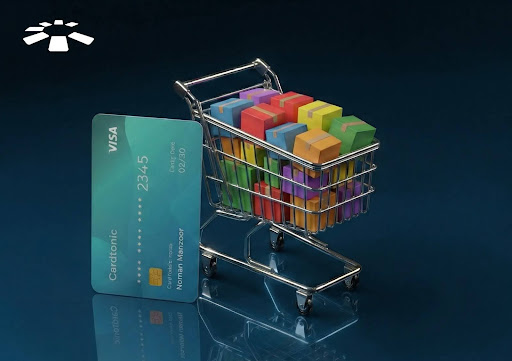
I still remember this day when I decided to upgrade my wardrobe and get some new clothes on Temu. I spent hours picking, unpicking, and then adding the ones I finally fell in love with to the cart. Only for me to get to the checkout to pay for them, and then I got hit with the “Transaction declined” error message.
Tried over and over again, but the same error message keeps appearing. You can imagine how frustrated I was.
I decided to talk to a friend about the situation, and it turns out I was not alone. I eventually decided to take a deep dive into the problem to understand what was wrong and how to fix it.
In this article, I’ll share what I found about the top 7 most common online shopping payment issues and how to fix them.
I have done the hard work so you don’t have to.
Top 7 Issues In Cross-Border E-Commerce Payments And How to Solve Them
Common online shopping payment issues include insufficient funds, incorrect card details, authentication failures, expired cards, network and technical errors, chargebacks and disputes, and hidden fees.
1. Insufficient Funds:
You might think this is an easy fix, right? Surprisingly, this ranks as the top cause of online payment failures.
It commonly happens when an item costs $40 and the balance in your account is the exact same $40. The bank’s system will automatically decline the transaction. Why?
This is because the bank system requires a ‘Security Buffer’. It is an increment over the amount you plan to spend, and it covers fluctuations in the foreign exchange rate during the transaction.
How to Fix this:
Always ensure your balance is at least 10% higher than the amount you intend to spend.
2. Incorrect Card Details:
Another major reason online payments fail is that users enter their card details incorrectly when completing transactions.
To make a payment via your card, you have to enter 3 details. First, your card number is the 16-digit number on the front of your card. The second one is the expiry date of your card, usually in month/year format, directly below your card number. The last one is the card verification value (CVV). It is a 3-digit pin at the back of your card.
When any of these three details is incorrect, your payment will be automatically rejected.
How to Fix this:
Ensure you double-check every digit before executing the transaction.
3. Authentication Failures:
Most of us have been in situations where we need to receive a one-time password (OTP) to complete a transaction, and we wait until the payment session expires.
The reason for this delay is because of a ‘3DS2 (3D Secure 2) friction’. What this simply means is that there is network congestion between your bank and the international payment gateway, and so the OTP does not come in time.
How to Fix this:
First, if you are meant to receive the OTP via mail and you are using Wi-Fi, try switching to mobile data and then refreshing the connection.
If it persists, switch to a fintech virtual card, as authentication is handled in the app, which is faster and more reliable. If you are meant to receive the OTP via SMS and it is not working, try switching as well.
4. Expired Cards:
Most credit cards will typically last 3-4 years. So, the way this issue commonly presents is when users try to use their card for online payment during the last month of validity, and it then fails.
Payments failed in the last month because many payment gateways aim to avoid issues with reversals or recurring payments.
How to Fix this:
Always ensure to check your card expiry date regularly. If it will expire in one month’s time, then plan to get a replacement as it may take a number of days for some physical cards.
If it is a virtual card, you simply delete the old card on the platform and generate a new one in less than 60 seconds.
5. Network and Technical Errors:
This is largely an issue on the providers’ end. They include server downtime, connectivity issues, browser incompatibility, and limited payment options.
How to Fix this:
If a payment fails with a ‘System error’ message, wait 10 minutes and try again. If it fails again, it means your bank’s payment gateway is likely down.
You will need an alternative at this point, and my go-to recommendation will be a virtual card like Cardtonic. This is because the infrastructure is designed specifically for 24/7 high-volume international payments.
6. Chargebacks and Disputes:
When the shopping process does not go well, probably because your items were not shipped as agreed or the items were incorrect, the dispute and chargeback (retrieval) process can be a headache for most users.
How to Fix this:
First off, ensure you only shop on reputable and proven sites you trust.
If a dispute arises, you can contact your provider’s customer service to find a lasting solution to the current problem.
7. Hidden Fees:
Transparent pricing is still a major issue in the banking world. Hidden fees include currency conversion fees, international transaction fees, SMS alert charges, declined transaction fees, and card maintenance fees.
By the time you have completed the transaction, you are already paying more than $30 for an item that was initially worth $25.
How to Fix this:
First, evaluate your transaction history to see the final cost of your items.
If the additional charges are excessive, you might want to find an alternative card. Cardtonic offers one of the most competitive virtual cards in the industry with a $0 monthly maintenance fee and $1.5 one-time card creation fee.
Frequently Asked Questions About Cross-Border E-Commerce Payments
Why Was My Transaction Declined Even When There Is Enough Money In My Account?
The reason is that the amount in your account is usually the same as the total cost of the items you bought. It could also be due to additional fees, which will increase the total transaction amount. So, ensure that your card balance is at least 10-15% higher than the amount you plan to spend.
Why Am I Not Receiving The OTP For My Payment?
The simple reason for this delay is the network congestion in the payment gateway. This makes you either get it late or not receive the OTP at all.
To fix this, switch to mobile data if you’re on Wi-Fi, then try again. If it persists, try an alternative payment method.
Can My Card Still Be Used If It Expires This Month?
This is not advisable. Most payment gateways will reject cards with only 1 month of validity left to avoid reversals and recurring billing. So, try to ensure you replace your card in time if this is the case.
What Should Be Done If My Money Was Deducted But The Order Failed?
Most payment gateways will automatically reverse your funds to your card within 24 hours to 5 business days. But if you are uncomfortable with that, you can reach out to your provider’s customer support for a faster resolution.
What Should I Do If The Item I Ordered Was Not Delivered?
First, contact the merchant’s customer support and request a status update or a refund. If the seller does not respond after 15 days, initiate a chargeback (refund for the dispute) through your card provider. Your order details and proof of your conversation with the merchant will be required.
Once the refund is approved, you should receive your funds in 2 to 15 business days.
Conclusion
So, there we have it! The top 7 most common online shopping payment issues and how to solve them to ensure you have a smooth shopping experience.
Online shopping should be fun and not a hassle!
If you’re really ready to up your shopping game, head over to the Cardtonic app, register, get your virtual card funded, and begin the turn of a smooth and absolutely stress-free shopping experience!


 Get on iPhone
 Get on Android