8 Ways To Fund Your SportyBet Account in 2026
You must have heard about SportyBet, the platform that offers sports lovers and bettors numerous betting opportunities. But to start your betting journey, you must be able to fund your account. The real question is: Do you know how to fund a SportyBet account in 2026?
That’s where I come in. I’ll use this piece to show you numerous ways to fund your betting account. Now, let’s get to business.
USSD Code for SportyBet Deposit in Nigeria
You can use bank-specific USSD codes to deposit funds into your SportyBet account:
- GTBank: *737*50*Amount*558#
- Zenith Bank: *966*6*7767#
- Universal Code: *723*04347201*[Amount]#
You may be asked to enter your Client or Customer ID. This can be found under the username in your SportyBet account. Be sure to follow the prompt to complete.
Fund Your SportyBet Account With Mobile Money in Ghana
Users in Ghana can opt for MTN Mobile Money, Telecel, AirtelTigo, and Tigo
- MTN Mobile Money
You can use either Airtel or MTN Mobile Money to make deposits using your mobile phone. Let me show you:
- Type *170# on your MTN line
- Choose the second option and select PayBill
- Select SportyBet
- Key in the amount to deposit. Enter your SportyBet account number as reference.
- Type your PIN code and confirm the transaction.
You will get a confirmation by SMS from the merchant once your deposit is successful.
NB: The deposit limits range from GHS 1.00 to GHS 50,000.00 per transaction. All Deposits are free of charge.
How to Fund Your SportyBet Via the Cardtonic App
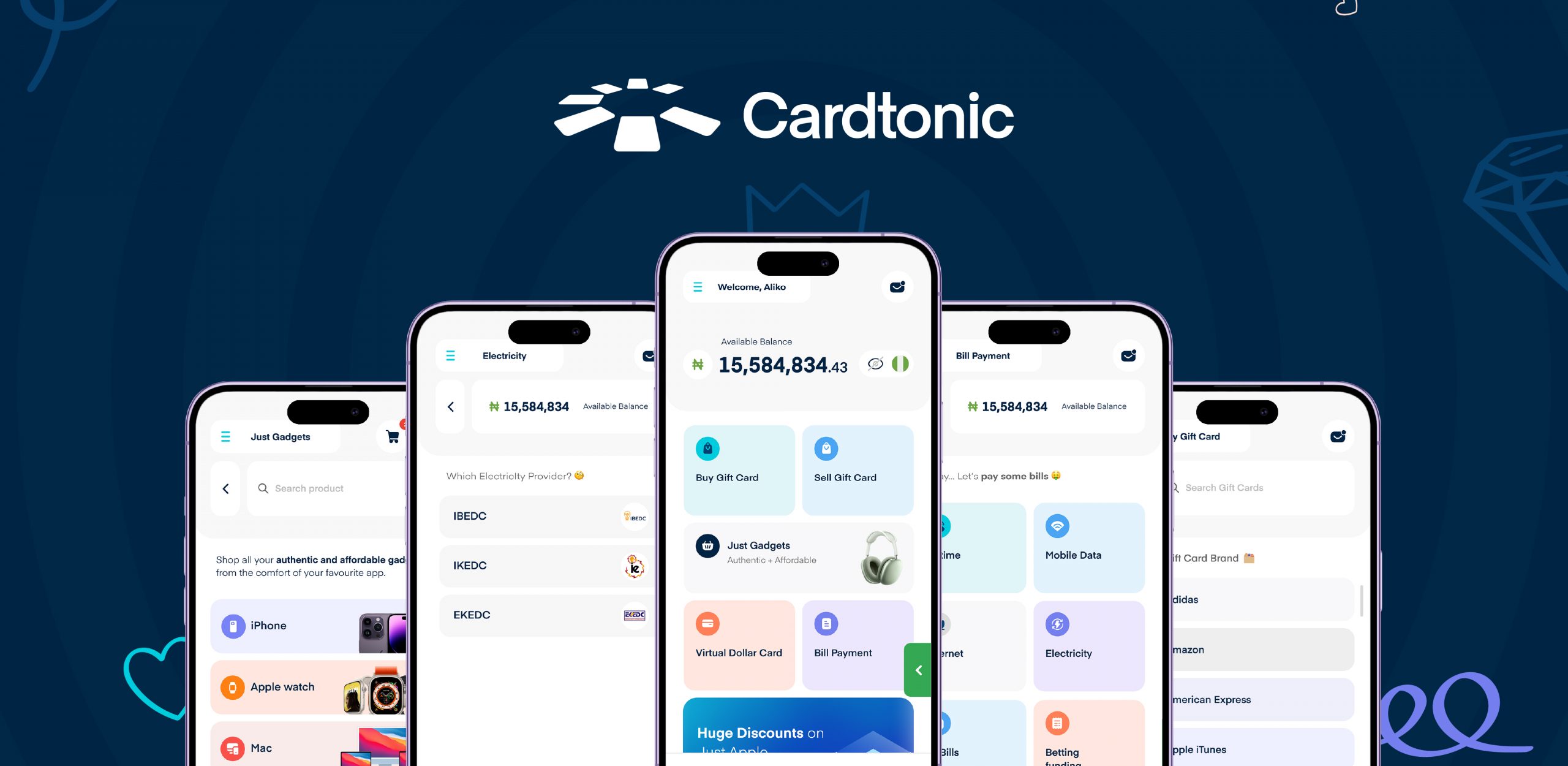
When it’s time to deposit money into your SportyBet account, Cardtonic remains the preferred choice. And the reasons aren’t far-fetched. The platform is secure and quite simple to use. Above all, it’s fast; hence, your deposit will reflect instantly.
Steps to Fund Your SportyBet Account with Cardtonic
- Open the Cardtonic app or website
- Tap “Bills and eSIMs” on the home screen
- Select “Local Bills”
- Select “Betting Funding”
- Choose your preferred bet platform. In this case, SportyBet.
- Enter the amount and user ID.
- Tap “Purchase”
- Enter your four-digit PIN to confirm.
That’s it. You have successfully funded your SportyBet account.
How to Find Your SportyBet Account Number
Your SportyBet Account Number, or Customer ID, is the mobile number you used to sign up to SportyBet.
Here is how to find your SportyBet Account Number:
- Log in to SportyBet via the Website or App.
- Tap My Account >> My Account Info on desktop or tap the Me tab to open My Account on the mobile app.
- Check the top left of your profile page to view your Account ID.
Now lets explore funding your account in detail.
More Ways To Deposit Money into Your SportyBet Account
Depositing money into your SportyBet account has become easier than ever. Thanks to the numerous available deposit options, i.e., Airtime deposit, Bank Transfer, Quickteller, Sporty bank account, and debit card
- Airtime Deposit
Funding your SportyBet account with airtime can come in handy when you have excess airtime. You will need airtime conversion apps like AirtimeFlip either to convert your airtime into cash first or pay directly using your airtime balance.
NB: Airtime conversion typically may cost up to 15% conversion fees and about 1% funding fees. Please verify the charges before proceeding.
- Bank Transfer
SportyBet supports the most popular banks in Nigeria. Hence, you can directly fund your SportyBet account by transferring from your bank app.
Once you select this method from the deposit section on your SportyBet account, you’ll be provided with a temporary bank account to transfer money to within thirty minutes. But if you are unable to make the transfer within the stipulated time, you’ll have to start all over again.
- Quickteller
The Quickteller platform is another option for depositing money into your SportyBet account. Here is how:
- Visit http://www.quickteller.com/sportybet
- Key in your SportyBet login mobile number, the deposit amount, and email.
- Verify your payment details and click PAY
Quickteller will generate a payment receipt, and you will receive an email on the provided email address. NB: Ensure you do not fill out wrong information, as a wrong transaction may not be rescinded.
- Sporty Bank Account
You can deposit money into your SportyBet account by simply making a transfer to your virtual SportyBet bank account. The SportyBet bank account is created strictly for your SportyBet account in partnership with a commercial bank, i.e., Wema Bank. Any money credited to your SportyBet bank account will be deposited in your SportyBet account.
- Debit Card
Do you want to use your debit or credit card to fund your SportyBet account? Of course, you can. Click on the deposit tab on your SportyBet profile, and select the card option. Fill in the necessary information and confirm the transaction.
Transfer Funds Between SportyBet Accounts and Withdraw to Another Number
Now, here is how you can transfer funds from one SportyBet Account to another:
Transfer Between SportyBet Accounts:
- Log in to SportyBet and head to “My Account”
- Tap your balance (top right) or the “Me” tab (bottom right)
- Tap the “Withdraw” button and choose “Transfer to Friend.”
- Hit the Enable button. Ensure you already have your Withdrawal PIN set and Email verified.
- Key in the 6-digit code to verify your registered phone line. You can request the code a maximum of 5 times in a day. Ensure that the “Do Not Disturb” icon is turned off.
- Once verified, you will receive a congratulatory message that Transfer to Friend has been successfully subscribed. Please note that it may be activated after a 24-hour cooldown period.
- Click on OK
NB: Only 5 friends max can be added to a SportyBet account. Minimum and maximum per transaction are NGN 100.00 and NGN 5000.00 respectively. The maximum amount that can be transferred per day is NGN 5000.00
Now, you’ve learnt how to transfer between accounts; let’s touch on how to withdraw to bank
Withdraw From a SportyBet Account to Bank:
- On the “My Account” dropdown(desktop), click the Account Balance(top right) or tap the “Me” button (bottom right) on your mobile.
- Click the “Withdraw” button
- Choose the bank and key in the corresponding account number
- Enter the amount to withdraw. Then click the “Withdraw” button
- Follow the prompt and enter your SportyBet PIN.
- For first-time usage, you will need to confirm your identity. You will be required to choose a means of verification: SMS, voice, Reverse SMS. A verification code will be sent to the registered mobile line. Key in the verification code.
- Reconfirm that the details of the withdrawal account are correct. Then click the “Withdraw” button.
Congratulations on your successful withdrawal.
NB: The minimum amount per transaction that you can withdraw is NGN 1.00, while the maximum you can withdraw is NGN 9,999,999.00
Why Fund Your SportyBet Account With Cardtonic
Cardtonic’s reliability, easy-to-use interface, and security place it well above its competitors.
- Fast and Reliable
Cardtonic isn’t just reliable; it is instant. You don’t have to wait forever for your deposit to reflect on your SportyBet account.
- Easy-to-use
Anyone who can surf the internet can easily use the platform. You don’t require specialized knowledge.
- Secure
One thing you will never have a reason to worry about while using Cardtonic is security. Transactions on the platform are secured with advanced encryption, two-factor authentication (2FA), and KYC.
Frequently Asked Questions About Funding SportyBet Accounts
- What Are The Payment Methods for SportyBet?
The payment methods for SportyBet include cards, bank transfers, and online payment platforms like Cardtonic. You can choose the method that is best for you.
- Why Can’t I Deposit Money Into My SportyBet Account?
One of the reasons you can’t deposit money into your SportyBet account might be network issues. Or perhaps your account has been suspended. It is important to contact SportyBet customer support to know exactly what the problem is.
- How Much Can I Deposit in SportyBet?
You can deposit from NGN 100 to NGN 9,999,999 per transaction to your SportyBet account in Nigeria. In Ghana, the deposit amount ranges from GHS 1 to GHS 50,000.00 per transaction.
- Why is My SportyBet Deposit not Going Through?
Several reasons may cause your deposit not to go through, i.e., no bank debit, processing delay, cache issue, and card payment decline. First things first, check if the funds have left your bank. Refresh your app by logging out. Clear your cache and log back in. You may also want to wait for 30 minutes before escalating to customer support.
- Can I Transfer Money From My Sportybet Account to Another Sportybet Account?
Yes, you can transfer money from your SportyBet account to another. All you have to do is click on the “transfer to friend” tab in the withdrawal section to begin.
- What Other Bills Can I Pay On Cardtonic?
You can conveniently pay your electricity bills, internet bills, Cable TV bills, and more on Cardtonic.
Conclusion
Funding your SportyBet account today shouldn’t be hard. You have several options available to you: USSD code, Mobile Money, Airtime deposit, Bank Transfer, Quickteller, Sporty bank account, and debit card.
But Cardtonic edges out its competitors, providing not just a faster solution but reliability, simplicity, and security.

 Get on iPhone
 Get on Android